Tempo Timesheets has long been one of the most established time tracking apps for Jira, helping teams log time, manage timesheet approvals, and generate extensive reports. However, not every organization needs the entire Tempo ecosystem
Fortunately, the Atlassian Marketplace offers several alternatives. Some focus on simple time tracking and reporting, while others combine timesheets with resource scheduling, project budgets, financial management, and billing.
In this guide, we’ll compare five Tempo Timesheets alternatives to help you find the right solution based on your team’s needs.
How to Choose the Right Tempo Alternative
Before comparing apps, it’s helpful to understand what your organization actually needs. Most Jira time tracking solutions fall into three categories:
- Time tracking tools designed to log work hours, manage timesheets, and generate reports.
- Resource management platforms that combine time tracking with scheduling, capacity planning, and utilization reporting.
- Project financial management solutions that connect tracked time with project budgets, billable rates, service delivery, and client invoicing.
If your team simply needs accurate worklogs and timesheet reports, a lightweight time tracking app may be sufficient.
However, if you manage client projects, you may also need to track project spending, monitor billable work, and generate invoices without moving data between different tools.
Here’s how five alternatives compare:
| App | Resource Planning | Time Tracking | Budget Management | Best For |
|---|---|---|---|---|
| Worklog360 | ✅ | ✅ | ✅ | Timesheets, service budgets, client invoicing |
| ActivityTimeline | ✅ | ✅ | ✅ | Resource planning, capacity and financial tracking |
| Toggl Track | Limited | ✅ | Limited | Agencies and consultants |
| Clockify | Available | ✅ | Available | Small teams and affordable time tracking |
| Clockwork Pro | Limited | ✅ | Limited | Automated worklogs and billing reports |
Capabilities may depend on the selected plan, edition, or integration.
1. Worklog360
Worklog360 — Atlassian Marketplace

Worklog360 is designed for Jira teams that need more than traditional time tracking. Instead of using separate applications for timesheets, project budgets, resource scheduling, and client invoicing, it brings these capabilities together inside Jira Cloud.
One of its main advantages is the connection between tracked time and project financials. Worklogs can be linked to project budgets, billable rates, and individual services, helping teams understand not only how many hours were spent, but also how much work can be billed to clients.
This makes Worklog360 particularly useful for agencies, consultancies, IT service providers, and software development companies managing client projects.
Key Capabilities
- Time tracking: Log time directly from Jira issues, timers, calendars, or weekly and monthly timesheets.
- Timesheets and approvals: Submit, review, and approve timesheets or individual worklogs before billing.
- Resource scheduling: Plan resources, review team capacity, and identify potential over-allocation.
- Project budgeting: Manage Time & Materials, Fixed-price, and Retainer budgets with cost and billable rates.
- Service-based budgeting: Divide budgets into individual services or deliverables, each with its own billing model.
- Client invoicing: Generate actual client invoices from recorded work, with PDF and Excel exports.
- Financial reporting: Analyze tracked time, utilization, project spending, billable amounts, and budget consumption.
Project and Service-Based Budgeting

A particularly useful capability for service businesses is service-based budgeting.
Instead of tracking only one overall project budget, teams can divide a budget into individual services or deliverables, each with its own billing type and financial value.
For example, a software development project might include:
- Discovery and Requirements — Fixed price
- UX/UI Design — Fixed price
- Software Development — Time & Materials
- Testing and QA — Time & Materials
- Support – Retainer
Each service can have its own estimated effort, quantity, billing type, and financial amount. Services can also be linked to Jira Epics and Work Items, allowing worklogs to be associated with the relevant service as work is recorded.
This helps organizations manage projects where some deliverables are sold at a fixed price while others are billed based on actual time spent.
Built-in Client Invoicing

Another important capability of Worklog360 is its built-in client invoicing.
Unlike applications that primarily calculate billable amounts or export time reports, Worklog360 allows teams to generate actual client invoices from Jira worklogs and project budgets.
Teams can apply different billing rates, review billable hours and amounts, generate invoice line items, and export invoices to PDF or Excel.
Once an invoice is finalized, the included worklogs are marked as invoiced, helping prevent the same time from being billed twice.
Things to Consider
Worklog360 is designed specifically for Jira Cloud. Teams that only need basic worklog reporting may not require its broader budgeting, scheduling, and invoicing capabilities.
Best for: agencies, consultancies, software development companies, and professional services teams looking for Jira timesheets combined with service-based budgeting, resource scheduling, and client invoicing.
2. ActivityTimeline
ActivityTimeline — Atlassian Marketplace

ActivityTimeline is a comprehensive Jira resource management platform that combines team scheduling, capacity planning, time tracking, and reporting.
Its main strength is helping managers understand how work is distributed across employees and teams, with tools for planning resources, monitoring workloads, and comparing planned effort with actual time spent.

ActivityTimeline also offers project financial management through its Finances module, which supports tracking project budgets, labor costs, revenue, and profitability.
Key Capabilities
- Resource and workload scheduling.
- Team capacity and utilization planning.
- Timesheet reporting and approvals.
- Planned versus actual work analysis.
- Project budgets and financial tracking.
- Cost and billing rate management.
- Budget allocations and profitability reporting.
- Vacation and availability management.
The Finances module allows organizations to connect Jira worklogs with labor rates, expenses, and budget allocations, providing visibility into project spending and financial performance.
One advantage for organizations migrating from Tempo is ActivityTimeline’s dedicated migration functionality, which supports transferring selected Tempo data.
Things to Consider
Some advanced financial features are available through specific ActivityTimeline editions. Organizations should check which capabilities are included in their selected plan.
Teams that need to generate client invoices directly from individual project services should also evaluate how ActivityTimeline’s financial workflows fit their billing processes.
Best for: Jira organizations looking for advanced resource planning, team capacity management, utilization reporting, and project financial visibility.
3. Toggl Track
Toggl Track — Jira Integration on Atlassian Marketplace
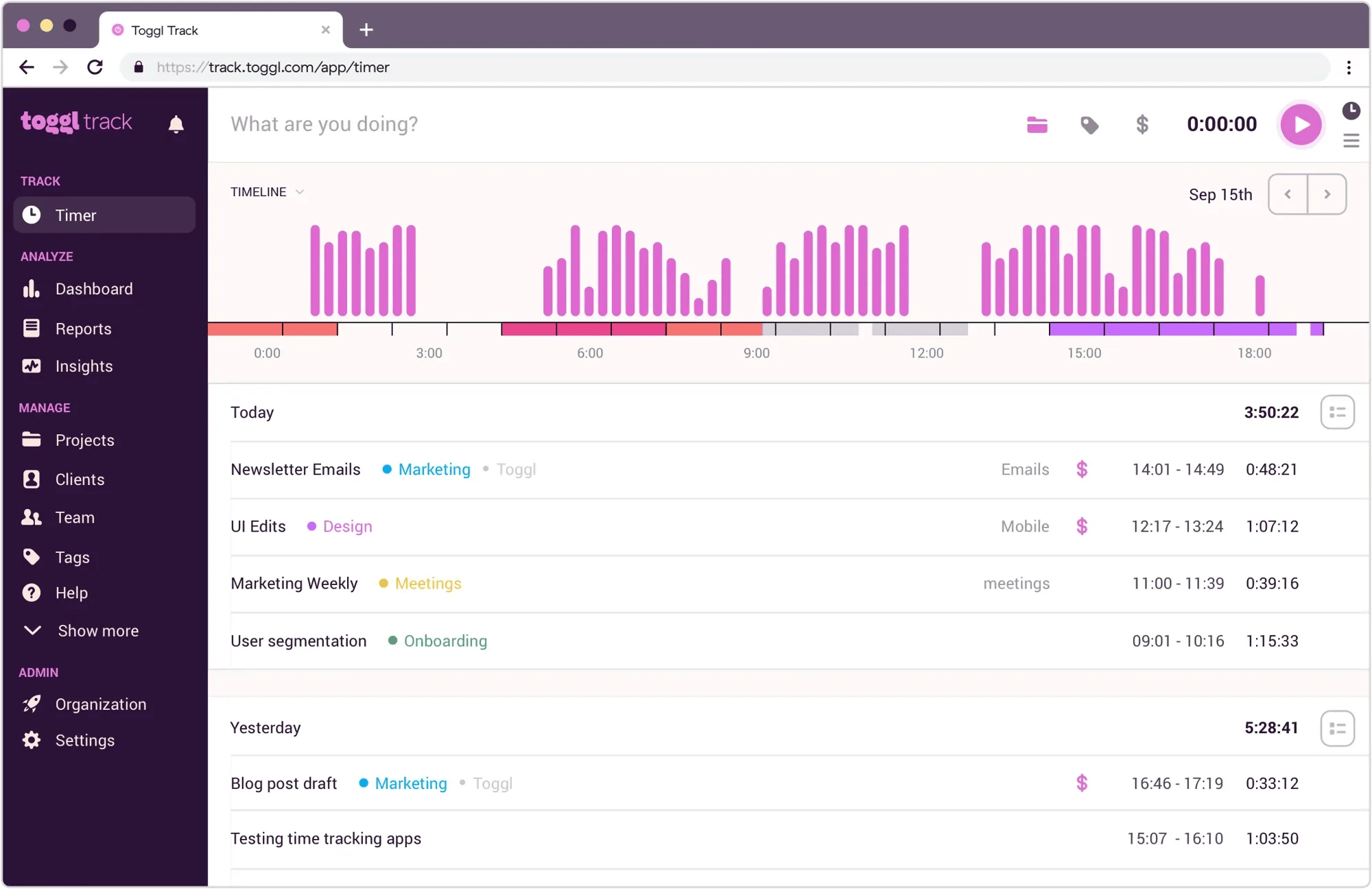
Toggl Track is a popular time tracking platform used by freelancers, agencies, consultants, and distributed teams.
Unlike Jira-native applications, Toggl operates as a standalone platform that connects with Jira and other work management tools through integrations.
This approach can be useful for organizations whose employees regularly work across several applications rather than spending most of their day inside Jira.
Key Capabilities
- Easy-to-use start and stop timers.
- Manual time entries.
- Client and project tracking.
- Billable time reporting.
- Invoicing capabilities.
- Desktop, browser, and mobile applications.
- Detailed time reports and exports.
Toggl is particularly useful for organizations that want a simple way to track time across multiple tools.
However, teams looking for deeper Jira-specific service budgeting, resource scheduling, or project financial management may need additional applications.
Things to Consider
Toggl Track is primarily a standalone solution rather than a Jira-native financial management application.
Teams should review the available Jira integration and determine whether it supports their worklog synchronization, reporting, and approval requirements.
Best for: agencies, consultants, freelancers, and distributed teams that prioritize simple time tracking and client billing across multiple platforms.
4. Clockify
Clockify — Atlassian Marketplace

Clockify is a widely used time tracking platform known for its free plan and straightforward user experience.
Its Jira integration allows team members to track time against Jira issues while managing their recorded hours in the Clockify platform.
Clockify focuses on making time tracking accessible for teams that don’t necessarily need a comprehensive resource and financial management solution.
Key Capabilities
- Timers and manual time entries.
- Weekly timesheet views.
- Project and task tracking.
- Time reporting and exports.
- Desktop, web, and mobile applications.
- Additional scheduling, budgeting, and invoicing capabilities on supported paid plans.
For smaller organizations, Clockify offers a practical way to introduce consistent time tracking without a complicated setup.
It also provides additional business management features as teams grow, although those workflows are primarily managed through Clockify rather than through a fully Jira-native project financial management system.
Things to Consider
Clockify’s advanced scheduling, budgeting, and invoicing features may require paid plans.
Because Clockify operates as a separate platform, organizations should evaluate whether its Jira integration offers the level of project-specific reporting and financial tracking they need.
Best for: small teams, freelancers, and organizations looking for affordable time tracking with optional business management features.
5. Clockwork Pro
Clockwork Pro — Atlassian Marketplace

Clockwork Pro takes a different approach to Jira time tracking by focusing on automation.
Rather than requiring employees to manually record every hour worked, Clockwork can automatically generate worklogs based on Jira issue transitions.
This can be particularly helpful for teams that struggle with missing or inconsistent time entries.
Key Capabilities
- Automated worklog generation.
- Manual time tracking and timers.
- Jira worklog synchronization.
- Timesheet reporting.
- Reminders for missing time entries.
- Billing rate and labor cost calculations.
- Lockable reporting and billing periods.
Clockwork Pro is a practical option for teams that want to reduce the administrative effort involved in recording time.
Its focus is primarily on time tracking automation and reporting rather than combining resource scheduling, service-based budgets, and end-to-end client invoicing in one application.
Things to Consider
Automatic time tracking relies on configured Jira workflows, so teams should consider whether issue status transitions accurately represent their actual working hours.
Organizations that need detailed resource scheduling, project budgets, or client invoicing may also need additional tools.
Best for: Jira teams looking to automate time tracking, improve worklog consistency, and support accurate billing reports.
Which Tempo Timesheets Alternative Is Right for You?
The right alternative depends on how your organization uses Jira and what you need beyond traditional timesheets.
If your main goal is recording hours and producing time reports, Clockify and Toggl Track offer accessible time tracking solutions, particularly for teams working across multiple tools. Clockwork Pro provides a different approach by automating worklog recording directly in Jira.
If resource availability, workload distribution, and capacity planning are your primary concerns, ActivityTimeline provides a comprehensive solution that also includes project budget tracking and financial reporting.
However, if your organization delivers client projects, you may need to answer additional questions:
- How much of our project budget has already been consumed?
- Which services or deliverables are approaching their budget limits?
- How much time can we bill to the client?
- How profitable is each project?
- Can we generate invoices directly from approved Jira worklogs?
For these teams, time tracking is only one part of the process.
Worklog360 brings together Jira timesheets, approvals, resource scheduling, project budgets, service-based billing, financial reporting, and client invoicing.
By connecting logged work with project budgets and individual services, organizations can track what has been delivered, monitor project spending, and generate invoices without moving data between multiple systems.
For agencies, consultancies, and IT service companies that need to manage both project delivery and client billing, Worklog360 is an alternative worth considering.
Ultimately, choosing the right application depends on your team’s needs. Whether you prioritize time tracking simplicity, automated worklogs, resource planning, or financial management, comparing the available features and trying the applications with your own workflows can help you make an informed decision.